SEO and AI Optimisation Hong Kong | Improve Visibility

SEO and AI Optimisation in Hong Kong: How to Improve Your Online Visibility

Search engine optimisation is evolving as artificial intelligence changes how people discover businesses, research services and find answers online. Traditional Google rankings remain important, but businesses are increasingly interested in how their websites appear in AI-powered search experiences.

For companies in Hong Kong, combining established SEO techniques with AI search optimisation can help build online visibility, reach potential customers and create more opportunities to generate business enquiries.

The key is understanding how these technologies work together and developing a strategy that focuses on useful content, technical performance and genuine customer needs.

What Is AI Search Optimisation?

AI search optimisation involves improving website content and structure so that information is clear, relevant and accessible to search engines and AI-powered discovery systems.

Traditional SEO focuses on helping search engines discover, understand and rank website pages. AI search optimisation extends this approach by considering how information may be retrieved, summarised and referenced by AI-powered search tools.

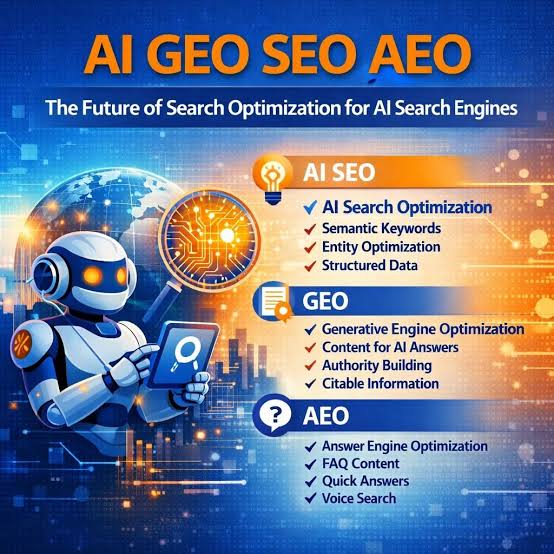
This area is also commonly associated with generative engine optimisation (GEO) and answer engine optimisation (AEO).

Although these terms describe related approaches, there is no universal formula for appearing in AI-generated answers. Different platforms use different systems, and visibility cannot be guaranteed.

Businesses should focus on creating accurate, useful and well-structured information that serves both their audience and their wider search strategy.

Why Traditional SEO Still Matters

AI-powered search does not eliminate the need for a strong SEO foundation. Search engines still need to discover pages, access their content and understand what each page offers.

Important SEO fundamentals include:

  • Ensuring important pages can be crawled and indexed.
  • Creating original content that answers relevant customer questions.
  • Improving website speed and mobile usability.
  • Using descriptive page titles, headings and internal links.
  • Maintaining accurate business information.
  • Implementing appropriate structured data where relevant.

Technical problems can undermine even the best content. If search engines cannot access a website properly, its visibility may suffer regardless of how much effort has been invested in content creation.

A technically sound website is therefore an essential starting point for both conventional SEO and AI search optimisation.

How AI Can Improve SEO Strategies

AI tools can help businesses analyse information, research keywords, identify content opportunities and organise SEO tasks more efficiently.

For example, AI-assisted research can help identify questions potential customers ask before choosing a service provider. These questions can then inform useful articles, service pages and frequently asked questions.

AI can also assist with reviewing existing website content, suggesting clearer headings, identifying overlapping topics and generating ideas for internal links.

However, automated recommendations should always be checked. AI can produce inaccurate information, misunderstand search intent or suggest changes that do not fit a business’s objectives.

The most effective approach combines AI-assisted analysis with human expertise, technical knowledge and a clear understanding of the target audience.

Improving Visibility in AI-Powered Search Results

Businesses looking to improve their presence in AI search experiences should concentrate on making their expertise and services easy to understand.

Start by explaining what the business does, who it serves, which problems it solves and where it operates. Dedicated service pages should describe specific offerings rather than relying on broad, generic statements.

Supporting articles can answer common questions, explain industry concepts and provide practical advice. Clear headings, descriptive language and relevant internal links help organise this information.

Where appropriate, structured data can provide additional context about a business, its services and its web pages. However, adding schema does not guarantee inclusion in AI-generated answers.

It is also useful to monitor referral traffic, search performance and relevant brand mentions over time. Measuring visibility across different channels helps businesses understand which activities are delivering value.

Local SEO for Businesses in Hong Kong

Local SEO is particularly important for companies targeting customers in Hong Kong. Businesses need to communicate their service areas clearly and provide accurate information across their website and relevant business listings.

A strong local SEO strategy may include dedicated service pages, location-relevant content, consistent contact information and an appropriately maintained Google Business Profile for eligible businesses.

Content should reflect the actual needs of the intended audience. Simply repeating the phrase “SEO Hong Kong” throughout a page does not create a strong local search strategy.

For businesses offering professional services, clear descriptions of expertise, experience, pricing where appropriate and the problems they solve can help potential customers make informed decisions.

These details also help establish a consistent and understandable online presence.

WordPress SEO and AI Integration

WordPress provides a flexible foundation for implementing SEO improvements and integrating selected AI tools.

SEO plugins can help manage metadata, canonical URLs, XML sitemaps and other optimisation settings. AI tools can support research, content planning and selected workflow automations.

For ecommerce websites, optimisation may also involve improving product descriptions, category pages, internal linking and the structure of product information.

Nevertheless, plugins and AI tools cannot replace a sound technical setup. Website owners should verify that important pages remain accessible, indexing settings are correct and changes do not introduce performance or compatibility problems.

Regular monitoring is especially valuable when websites undergo redesigns, hosting changes or significant technical updates.

Building a Sustainable SEO and AI Strategy

SEO and AI optimisation should be treated as an ongoing process rather than a one-time installation or quick fix.

A practical strategy begins with reviewing the website’s current technical condition, search visibility and content. The next step is identifying the most important opportunities and prioritising changes based on their likely business value.

Progress can be measured using indicators such as organic impressions, relevant keyword performance, qualified website traffic, enquiries and conversions. AI search referrals and brand mentions can provide additional context where reliable measurement is available.

Results vary by industry, competition, website condition and implementation quality. Consistent monitoring makes it easier to refine the strategy and focus resources on activities that produce meaningful outcomes.

SEO and AI Optimisation Services in Hong Kong

With more than 28 years of web design and development experience, I understand the importance of combining a reliable technical foundation with a clear digital strategy.

My work includes WordPress development, website optimisation, WooCommerce solutions and practical AI integration. These disciplines can complement an SEO strategy by helping businesses improve website quality, usability and the way their services are presented online.

Whether you want to improve your existing Google visibility, investigate technical SEO issues or prepare your website for evolving AI search experiences, the first step is understanding your current position and identifying the right priorities.

Looking to improve your Google rankings and AI search visibility in Hong Kong? Get in touch to discuss SEO, AI optimisation and website improvements tailored to your business.

AI and SEO: Improve Google Rankings | Hong Kong

AI and SEO: How Artificial Intelligence Is Changing Search Engine Optimisation

Artificial intelligence is changing how businesses approach search engine optimisation (SEO). From keyword research and content planning to technical analysis and search performance monitoring, AI tools are creating new opportunities to improve how websites attract visitors from Google.

For businesses in Hong Kong, understanding how AI and SEO work together can help build a stronger online presence, reach relevant audiences and generate more enquiries.

However, using AI does not automatically improve search rankings. The most effective SEO strategies combine modern technology with useful content, technical expertise and a clear understanding of what potential customers are searching for.

How AI Is Transforming SEO

Traditional SEO involves researching keywords, analysing competitors, improving website structure and creating content that answers users’ questions. AI can help make many of these activities faster and more efficient.

AI-powered tools can assist with identifying search trends, grouping related keywords, analysing existing content and generating ideas for new articles. They can also help developers investigate technical problems and identify opportunities to improve a website.

These capabilities allow businesses to spend less time on repetitive research and more time implementing improvements that support their commercial objectives.

Nevertheless, AI-generated recommendations should always be reviewed. Search data needs context, and automated tools cannot fully understand every business, audience or competitive market.

Creating Better SEO Content with AI

Content remains an important part of an effective SEO strategy. AI can support the writing process by helping with research, outlining articles, suggesting headings and identifying questions that potential customers may want answered.

For example, a Hong Kong business offering professional services could use AI to develop article ideas around common customer problems, industry developments and frequently asked questions.

The important step is turning these ideas into genuinely useful content.

Articles should demonstrate relevant expertise, provide accurate information and offer something valuable to readers. Simply publishing large volumes of similar AI-generated pages is unlikely to create a sustainable competitive advantage.

A stronger approach is to use AI as an assistant while adding original insights, practical examples and knowledge gained from real projects.

AI Keyword Research and Search Intent

Choosing the right keywords involves more than finding phrases with high search volumes. Businesses also need to understand why people are searching and what they expect to find.

AI tools can help group related search terms and distinguish between different types of intent.

For example, someone searching for “WordPress developer Hong Kong” may be looking for a professional to hire, while someone searching for “how to improve WordPress website speed” may be researching a technical problem.

These searches require different content and different calls to action.

By matching website pages to search intent, businesses can create a more relevant experience for visitors and improve the chances of attracting enquiries from potential customers.

For local businesses, incorporating relevant location terms naturally can also help communicate where services are available. However, keyword targeting should reflect genuine services and locations rather than repeating city names unnecessarily.

Technical SEO Still Matters

Even excellent content can struggle to perform if search engines cannot properly access, crawl or index a website.

Technical SEO remains essential, particularly for WordPress websites that rely on multiple plugins, themes, caching systems and hosting configurations.

Important areas to review include:

  • Indexing and crawlability: Ensure important pages can be accessed and indexed by search engines.
  • Website speed: Optimise images, caching, scripts and server performance.
  • Mobile usability: Make sure pages work correctly across mobile devices and screen sizes.
  • Internal linking: Help visitors and search engines discover relevant pages across the website.
  • Structured data: Use appropriate schema markup to help search engines understand page content.
  • Broken links and redirects: Identify technical errors that interfere with navigation or crawling.

AI can assist with identifying potential problems, but implementation and verification still require technical understanding.

A website that accidentally blocks search engine crawlers, for example, can experience a serious loss of visibility regardless of how good its content is.

AI Search and the Future of Google Visibility

Search is evolving as AI-powered features provide summaries, recommendations and direct answers to user questions. This creates new considerations for businesses seeking visibility online.

Traditional organic search rankings remain important, but businesses may also want their content to be clear, well organised and useful enough to support AI-generated answers.

Practical steps include answering relevant customer questions directly, using descriptive headings, maintaining accurate business information and publishing trustworthy, original content.

There is no guaranteed formula for appearing in AI-generated search results. Businesses should avoid promises of guaranteed AI visibility and instead concentrate on building a technically sound website with genuinely valuable information.

Strong SEO fundamentals remain a sensible foundation as search technologies evolve.

Using AI to Improve WordPress SEO

WordPress offers a flexible platform for implementing an SEO strategy, and AI tools can complement established optimisation workflows.

Depending on the website, these tools may help with content briefs, metadata suggestions, image descriptions, keyword analysis and identifying opportunities to improve existing pages.

SEO plugins such as Yoast SEO can help manage page titles, meta descriptions, canonical URLs and other optimisation settings. AI can support content preparation, but it is important to review the final output rather than accepting every suggestion automatically.

For WooCommerce stores, SEO work can also include improving product descriptions, category pages, internal links and the structure of product information.

The goal is to create pages that are accessible to search engines and useful to customers, rather than simply maximising plugin scores.

Why Human Expertise Still Makes a Difference

AI makes SEO research and content production more accessible, but successful optimisation still requires prioritisation, technical knowledge and an understanding of the business.

Not every keyword is worth targeting, not every technical warning needs immediate attention, and not every AI-generated article deserves to be published.

A professional SEO strategy considers competition, customer intent, website architecture, conversion opportunities and available resources. It also measures results over time rather than judging success by the number of articles published.

For businesses competing in Hong Kong’s online marketplace, combining AI-assisted research with experienced WordPress development can help focus effort on improvements that have a practical purpose.

AI and SEO for Hong Kong Businesses

With more than 28 years of web design and development experience, I help businesses improve their online presence through WordPress development, WooCommerce solutions, website optimisation and practical AI integration.

Whether you want to improve an existing website, develop a content strategy or investigate technical SEO problems, the first step is understanding your current position and identifying the improvements most likely to support your objectives.

AI can make parts of SEO more efficient, but it works best when combined with a reliable website, useful content and a strategy built around your customers.

Want to improve your website’s search visibility? Get in touch to discuss WordPress development, SEO improvements and practical AI solutions for your business.

WordPress Website Security Hong Kong | AI & Protection

blank

WordPress Website Security in the Age of AI: Protecting Your Business Online

Your website is one of your business’s most valuable digital assets. It showcases your services, attracts new customers and may process enquiries, payments and sensitive information. However, as cyber threats become more sophisticated, keeping your website secure requires more than installing a security plugin and hoping for the best.

Artificial intelligence is changing the cybersecurity landscape. While AI offers new ways to identify vulnerabilities and detect suspicious activity, it is also helping cybercriminals automate attacks, generate convincing phishing messages and discover weaknesses in websites.

For businesses in Hong Kong, maintaining a secure and reliable WordPress website is an important part of protecting their reputation and online operations.

How AI Is Changing Website Security

AI can analyse large amounts of information, recognise patterns and automate tasks that would otherwise require significant manual effort. These capabilities have applications in both cybersecurity and cybercrime.

Attackers may use automation to identify vulnerable software, test compromised passwords or create convincing messages designed to trick employees and customers. This means businesses cannot rely solely on recognising obvious signs of suspicious activity.

At the same time, security professionals can use AI-assisted tools to analyse threats, review logs and identify unusual behaviour.

The key is to combine these capabilities with established security practices rather than treating AI as a replacement for proper website maintenance.

Why WordPress Websites Need Regular Maintenance

WordPress is a flexible platform used by businesses of all sizes. Its extensive ecosystem of themes and plugins makes it possible to build almost any type of website, but every additional component needs appropriate maintenance.

Outdated software, poorly configured permissions, weak passwords and abandoned plugins can introduce security risks.

A sensible WordPress maintenance routine should include:

  • Software updates: Keep WordPress core, themes and plugins updated, testing important changes where appropriate.
  • Secure authentication: Use strong passwords, two-factor authentication and individual user accounts with appropriate permissions.
  • Reliable backups: Maintain regular backups and verify that the website can be restored if something goes wrong.
  • Security monitoring: Review suspicious activity, malware alerts and unexpected changes to website files.
  • Access management: Remove unused accounts and unnecessary plugins, themes and administrator permissions.
  • HTTPS and server security: Ensure secure connections and appropriate hosting configuration.

These measures form the foundation of a more resilient website and help reduce the likelihood of avoidable security incidents.

Can AI Improve WordPress Security?

AI-assisted security tools can help identify patterns that traditional rule-based systems might miss. Depending on the solution, they may assist with detecting unusual login activity, analysing server logs, identifying suspicious traffic or prioritising potential vulnerabilities.

However, AI security tools are not infallible. They can generate false alarms, miss genuine threats or require specialist configuration. An AI-powered plugin also cannot compensate for an unsupported server, insecure

AI Automation & WordPress Web Development Hong Kong

blank

AI Automation and Web Design: Building Smarter Business Websites

A business website should do more than display information. It should help attract potential customers, answer questions, generate enquiries and support business growth. With advances in artificial intelligence and automation, businesses can now make their websites work harder without necessarily increasing their workload.

Combining AI with professional web design creates opportunities to improve customer experiences, simplify business processes and make better use of existing digital infrastructure.

For businesses in Hong Kong, these technologies offer practical ways to improve efficiency and compete in an increasingly digital marketplace.

Turning Your Website into a Business Tool

Many business websites are underused. They provide basic company information but rely entirely on visitors to find what they need, submit an enquiry and wait for a response.

AI and automation can help bridge this gap.

Depending on the business, a website can be enhanced with automated enquiry handling, intelligent customer support, lead capture systems and integrations with existing business applications. These features can help visitors find relevant information more quickly while reducing repetitive administrative work.

The objective is not to automate every interaction. It is to identify where technology can make the customer journey easier and allow business owners to focus on higher-value activities.

How AI Automation Works with WordPress

WordPress provides a flexible platform for developing business websites that can connect with a wide range of tools and services.

AI capabilities can be introduced through carefully selected plugins, external APIs and custom development. The right approach depends on the website’s technical requirements, security considerations and existing workflows.

Examples of useful integrations include:

  • Automated lead management: Capture website enquiries and route them to the appropriate person or system.
  • AI customer assistants: Help visitors navigate services, understand product information and find answers to common questions.
  • Business process automation: Connect website forms with email platforms, customer relationship management systems and other business applications.
  • Content and product management: Assist with drafting product descriptions, organising information and maintaining website content.
  • Customer engagement: Provide more relevant information based on visitor questions and the services or products offered.

Every integration should have a clear purpose. Choosing reliable tools and implementing them correctly is essential to maintaining website performance and protecting customer information.

Improving Ecommerce with AI and WooCommerce

For online retailers, combining AI with WooCommerce can help create a more efficient shopping experience.

Customers may benefit from improved product discovery, personalised recommendations, automated answers to frequently asked questions and clearer access to relevant product information.

Businesses can also explore automating parts of their ecommerce operations, including product content workflows and selected customer service tasks.

However, successful ecommerce depends on more than technology. A fast website, straightforward navigation, secure payment processing and a smooth checkout experience remain critical to converting visitors into paying customers.

AI should support these essentials rather than distract from them.

Why Website Strategy Comes Before AI

With so many AI tools available, it can be tempting to introduce new technology without first identifying the problem it needs to solve.

A better approach begins with understanding how the business operates, what customers expect and where existing processes create unnecessary friction.

For one company, the priority might be reducing the time spent responding to enquiries. For another, it could be improving an online store or connecting disconnected business systems.

Defining the objective first helps determine which tools are appropriate, what implementation will involve and how success can be measured.

It also avoids unnecessary costs associated with features that add complexity without delivering meaningful business benefits.

SEO, Performance and the Future of Business Websites

AI is also influencing how businesses approach website content, search engine optimisation and digital marketing.

While AI tools can assist with research, content planning and technical analysis, they do not guarantee better Google rankings or increased traffic. Search visibility still depends on multiple factors, including content quality, technical accessibility, website performance and relevance to the intended audience.

A professionally developed WordPress website provides the foundation for these activities. AI can then be introduced where it offers a genuine improvement.

Maintaining this balance is particularly important for established businesses that depend on organic search traffic and a consistent flow of website enquiries.

Professional WordPress and AI Development in Hong Kong

Implementing AI successfully requires more than selecting a tool and installing a plugin. Businesses need to consider compatibility, data security, ongoing maintenance, usability and the reliability of the finished solution.

With more than 28 years of web design and development experience, I help businesses build and improve WordPress websites, develop WooCommerce ecommerce solutions and explore practical applications of AI and automation.

My approach focuses on identifying opportunities that support real business objectives, whether that means improving an existing website, integrating systems or developing a more effective online sales channel.

AI does not need to transform every part of your business overnight. The most valuable improvements often begin with one well-defined problem and a solution that can be tested, measured and expanded over time.

Want to make your website work harder for your business? Get in touch to discuss WordPress development, WooCommerce improvements and AI automation tailored to your business requirements.

AI and Web Design: How Artificial Intelligence Is Transforming WordPress Websites

blank

Artificial intelligence is changing the way businesses build, manage and grow their online presence. From smarter customer support to automated workflows and personalised user experiences, AI is creating new opportunities for businesses to improve their websites and work more efficiently.

For businesses in Hong Kong, combining AI with professional web design and WordPress development can provide a competitive advantage — helping turn a website into a more effective tool for attracting customers, generating enquiries and increasing sales.

How AI Is Changing Web Design

AI tools are making it easier to analyse website performance, generate content, automate repetitive tasks and improve the overall user experience. However, successful web design involves much more than simply adding AI tools to a website.

A well-designed website still requires a clear strategy, strong branding, intuitive navigation, responsive layouts and a focus on business objectives. AI works best when it supports these foundations rather than replacing them.

By combining professional web development with carefully selected AI technologies, businesses can build websites that are more useful, efficient and adaptable.

Integrating AI with WordPress

WordPress powers millions of websites worldwide and offers a flexible foundation for integrating artificial intelligence into existing business websites and online stores.

Depending on the business’s requirements, AI can be used to introduce features such as:

  • AI-powered customer support: Help visitors find information and get answers to common questions around the clock.
  • Intelligent content creation: Support the production of website content, product descriptions and marketing materials.
  • Workflow automation: Reduce repetitive administrative tasks, improve lead management and connect business systems.
  • Smarter ecommerce experiences: Help customers discover relevant products and make informed purchasing decisions.
  • Data-driven improvements: Use analytics and AI-assisted insights to identify opportunities to improve website performance and conversions.

The right solution depends on the website, its existing systems and the business outcomes you want to achieve. Not every business needs every AI feature, and unnecessary complexity can add cost without delivering meaningful value.

AI and Ecommerce: Creating Better Online Shopping Experiences

For WooCommerce stores, AI offers practical ways to improve the customer journey and streamline ecommerce operations.

Product recommendations, automated customer enquiries, improved product discovery and more efficient content management can all contribute to a better shopping experience.

However, AI integration should be carefully planned. Website speed, security, customer privacy, search engine optimisation and reliable checkout functionality remain essential to any successful online store.

A properly developed WooCommerce website can combine these fundamentals with selected AI capabilities to support business growth without compromising usability.

Why Professional Web Design Still Matters

AI can generate code, layouts and content, but producing a website that genuinely supports a business requires technical expertise and commercial understanding.

Businesses still need someone who can evaluate their requirements, select suitable technologies, integrate systems, resolve compatibility issues and ensure the finished website performs reliably.

Search engine optimisation is another important consideration. AI-generated content alone does not guarantee higher Google rankings. Websites still need useful, original information, a sound technical foundation, accessible design and content that meets the needs of their intended audience.

The most effective approach combines AI’s capabilities with experienced human judgement, strategic thinking and professional development.

Practical AI Solutions for Hong Kong Businesses

Businesses do not need to undertake a complete digital transformation to benefit from AI. Often, the best starting point is identifying a time-consuming process or an area of the website that could be improved.

This might mean automating enquiries, improving a WooCommerce store, connecting existing business tools or introducing an AI assistant to help customers navigate a website.

Starting with a clearly defined objective makes it easier to measure results, control costs and expand the solution when it delivers value.

For Hong Kong businesses looking to remain competitive, the opportunity is not simply to adopt AI because it is a growing trend. It is to use the technology where it solves real problems and creates measurable business benefits.

Combining WordPress, Web Design and AI

With more than 28 years of web design and development experience, I help businesses develop professional websites and ecommerce solutions built around their individual requirements.

My work focuses on WordPress, WooCommerce, website optimisation and practical AI integration — helping businesses improve their online presence, streamline processes and make better use of technology.

Whether you need a new website, improvements to an existing WordPress installation or advice on integrating AI into your business, the starting point is understanding what you want to achieve and choosing the right solution.

Looking to improve your website or explore AI for your business? Get in touch to discuss how WordPress development, ecommerce and practical AI solutions can help your business move forward.

SEO Services in Hong Kong Improve My Rank

For startups in Hong Kong, having a well-designed website is just the beginning. If you want to compete online and reach your target audience, your website must be optimised for search engines. An SEO-friendly website can help drive traffic, improve rankings, and generate leads, setting your business on the path to success.

Essential On-Page SEO Elements

Building an SEO-friendly website starts with optimising the elements that search engines use to crawl and index your site. Here are a few key on-page SEO elements to focus on:

Title Tags and Meta Descriptions: These elements are critical for both users and search engines. Title tags should clearly describe the page’s content while including relevant keywords. Meta descriptions, though not a ranking factor, play a role in click-through rates, which can indirectly influence rankings.

Header Tags (H1, H2, H3): Structuring your content with header tags helps search engines understand your website’s hierarchy. Use the H1 tag for the main title, and H2 and H3 tags for subheadings that break up your content into sections.

Alt Text for Images: Search engines can’t “see” images, so it’s important to use descriptive alt text for all images on your site. Not only does this improve accessibility, but it also allows your images to rank in search results.

Internal Links: Linking to other pages on your website helps search engines understand the structure of your site and can improve user navigation. Make sure to use relevant anchor text that describes the content of the linked page.

At Flash Designer, we specialise in optimising these on-page SEO elements to ensure that your website is designed with search engines and users in mind.

Content Strategies That Rank in Hong Kong

To rank well in Hong Kong, your content strategy needs to address local interests while also being relevant to your industry. Here are some tips for creating content that ranks:

Focus on Local Keywords: Incorporate keywords that are relevant to your target audience in Hong Kong. Use tools like Google Keyword Planner or Ahrefs to find popular search terms in your niche. Phrases that include “Hong Kong” or specific neighbourhoods (e.g., “web design services in Central Hong Kong”) can help you attract local traffic.

Create Quality, Long-Form Content: Search engines prioritise websites that offer valuable, in-depth information. Focus on creating content that thoroughly answers questions your audience may have. Blog posts, guides, and FAQs are excellent formats for long-form content that can rank higher.

Utilise Local Trends and Topics: Keep an eye on local news and trends to create content that resonates with your audience. If there are industry-related events or government regulations affecting businesses in Hong Kong, write about how they impact your customers.

Optimise for Mobile: Mobile traffic is significant in Hong Kong, so your content must be mobile-friendly. Make sure your website design is responsive and loads quickly on smartphones and tablets.

Flash Designer can help you implement a content strategy that aligns with local SEO best practices while delivering engaging content that converts.

Local SEO vs. Global SEO: What’s Best for You?

One of the biggest decisions for Hong Kong startups is whether to focus on local SEO or global SEO. Each has its advantages, depending on your business goals.

Local SEO: If your business primarily serves customers in Hong Kong, local SEO should be your focus. Optimise for keywords that include location-specific terms, claim your Google Business Profile, and make sure your NAP (Name, Address, Phone) information is consistent across the web.

Global SEO: If your business has international ambitions, you’ll need to focus on ranking for keywords that target a global audience. However, global SEO is highly competitive, requiring advanced link-building strategies, multi-language content, and a robust technical SEO foundation.

For many startups, a hybrid approach works best. Flash Designer can help you decide whether to focus on local SEO to attract nearby customers or global SEO to expand your reach.

Measuring and Optimising Website Performance

Once your website is up and running, the work doesn’t stop. You’ll need to continually measure and optimise your site’s performance to ensure it ranks well in search engines. Here are some key metrics to monitor:

Organic Traffic: Use tools like Google Analytics to track how many visitors are finding your site through search engines. If your traffic isn’t growing, it may be time to revise your SEO strategy.

Bounce Rate: This metric indicates how quickly visitors leave your site after arriving. A high bounce rate can signal issues with your content or user experience. Make sure your site is easy to navigate and loads quickly.

Page Speed: A fast website improves both user experience and SEO rankings. Tools like Google PageSpeed Insights can help identify areas where your site can be optimised for speed.

Keyword Rankings: Monitor the performance of your target keywords using an SEO tool like SEMrush or Ahrefs. If you’re not ranking well for your keywords, consider tweaking your content or building backlinks to improve your site’s authority.

At Flash Designer, we offer ongoing SEO services to help you optimise your website’s performance, improve rankings, and attract more targeted traffic over time.

Conclusion

Building an SEO-friendly website is essential for Hong Kong startups looking to grow their online presence. By focusing on on-page SEO, creating content that resonates with a local audience, and continuously measuring performance, you can set your business up for success. Flash Designer is here to help you with expert web design and development services that will ensure your site is optimised for search engines from the ground up.

FAQs:

What is on-page SEO?

On-page SEO refers to the optimisation of individual web pages to rank higher in search results. It includes optimising title tags, meta descriptions, headers, and content.

Why is local SEO important for startups in Hong Kong?

Local SEO helps businesses target potential customers in their area, increasing visibility for location-based searches, and driving foot traffic to physical stores.

How long does it take to see SEO results?

SEO is a long-term strategy, and it typically takes 3 to 6 months to see significant improvements in rankings and traffic. The time frame can vary based on competition and industry.

Can I target both local and global audiences?

Yes, it’s possible to target both. A hybrid SEO strategy can be used, but it’s important to structure your website and content properly to cater to both local and global audiences.

How can I improve my website’s page speed?

You can improve page speed by optimising images, leveraging browser caching, and minimising the use of large, uncompressed files. A fast web host also contributes to better load times.

How to develop and build a wordpress website

Launching a brand is an exciting journey, and establishing a digital presence with a website is a crucial step. If the thought of creating a website seems daunting, rest assured, this beginner’s guide is crafted just for you. Using WordPress, known for its simplicity and flexibility, you can create a professional-looking site with minimal technical skills. This post will walk you through the process step-by-step, from initial concept to going live.

Whether you’re a seasoned marketer or a newcomer to the digital realm, this guide will demystify the process of building a WordPress website. Let’s get started on turning your brand vision into a digital reality.

Before You Start: Define Your Purpose

Before diving into the technical steps, it’s crucial to define the purpose of your website. What do you want to achieve with it? Whether it’s showcasing a portfolio, selling products, or hosting a blog, understanding your goals will guide every decision you make, from choosing a domain to selecting the right plugins.

Consider your target audience and how the design and functionality of your site can cater to their needs and preferences. This initial clarity will streamline the process and ensure your website aligns with your brand objectives.

1. Choose a Domain Name

Your domain name serves as your website’s address on the internet. It should be memorable, succinct, and reflective of your brand. Here’s how to select the perfect domain name:

  • Keep it Short and Simple: Choose a domain name that is concise and easy to remember. Avoid complex spellings that could lead to typos.
  • Use Keywords Wisely: Incorporate relevant keywords that describe your business and improve SEO.
  • Check Availability: Ensure the domain isn’t already taken or trademarked. Tools like GoDaddy or Namecheap can help you check domain availability and offer alternatives if your preferred name is taken.
  • Consider Alternative Extensions: If your desired .com domain is unavailable, consider other extensions like .net, .biz, or .co.

Once you’ve chosen a domain name, register it through your hosting provider to manage everything from one platform, often at a discounted rate when bundled with hosting services.

2. Select a WordPress Hosting Provider

Choosing the right hosting provider is pivotal as it affects your website’s performance and reliability. Here are the types of hosting services available:

  • Shared Hosting: Cost-effective and suitable for small to medium websites, this option involves sharing server resources with other websites.
  • Virtual Private Server (VPS): A VPS provides more control and better performance than shared hosting by giving you dedicated resources on a shared server.
  • Dedicated Server: Best for websites with high traffic, a dedicated server offers the ultimate in performance, security, and control.
  • Cloud Hosting: Offers scalability and reliability, allowing you to adjust resources as your website grows.

For beginners, shared hosting or managed WordPress hosting is generally sufficient. Ensure the provider offers WordPress-specific features like one-click installations, automatic updates, and technical support.

3. Install WordPress

After securing your domain and choosing a hosting provider, the next step is installing WordPress. Most hosts offer easy, one-click WordPress installation from your hosting dashboard. If the option isn’t apparent, refer to your host’s support documents or contact their customer service for guidance.

Once WordPress is installed, you can log in to your dashboard and begin the exciting part of customising your site.

4. Choose and Install a WordPress Theme

The theme you select determines the visual layout and style of your website. It’s important to choose a theme that not only looks appealing but also aligns with your brand and the purpose of your site. Here’s how to proceed:

  • Access Theme Options: In your WordPress dashboard, navigate to the “Appearance” tab and click “Themes.”
  • Explore and Add New Themes: Click “Add New” to browse thousands of available themes. You can filter themes by features, popularity, or latest additions at the WordPress Theme Directory.
  • Preview and Install: Before activating a theme, use the “Live Preview” option to see how it would look with your content. Once satisfied, install the theme by clicking “Install” and then “Activate.”

Remember, the theme should be responsive, ensuring it looks good on both desktop and mobile devices. Also, consider themes that are regularly updated for security and compatibility.

5. Install Essential Plugins

Plugins extend the functionality of your WordPress site. There are plugins for virtually everything, from SEO and security to social media integration and performance optimisation. Here’s how to manage plugins:

  • Access the Plugin Menu: From your WordPress dashboard, select “Plugins” and click “Add New.”
  • Search and Install Plugins: Browse through the plugin repository. Useful plugins for beginners include:
  • Activate and Configure: Once installed, activate the plugin and configure settings according to your needs.

Be cautious with the number of plugins you install; too many can slow down your site. Only keep those that are essential for your website’s functionality.

6. Create Your Initial Content: Posts and Pages

Content is king in the digital world, so start by adding quality posts and pages to your site:

  • Add New Pages: Navigate to “Pages” in your dashboard and select “Add New.” Common pages include Home, About Us, Contact, and Services. Use the WordPress editor to add text, images, and other media. Once you’re satisfied, click “Publish.”
  • Create Blog Posts: Go to “Posts” and click “Add New” to write blog entries. Add categories and tags to organise your content and improve SEO. Like pages, you can add multimedia elements and text before publishing.
  • Customise Content Structure: Consider the structure of your content carefully. Use headings, subheadings, and lists to make your posts and pages easy to read.

Once you have a few pages and posts, you can see how they look with your chosen theme and make necessary adjustments to the layout and design.

7. Customise Your WordPress Theme

After selecting a theme and creating initial content, tailor your site’s appearance to better match your brand and user needs:

  • Navigate to Customise: Go to the “Appearance” tab in your WordPress dashboard and select “Customise.” This opens the WordPress Customizer, where you can modify various aspects of your theme in real time.
  • Set Homepage Settings: Use the “Homepage Settings” to choose whether you want a static page or your latest posts displayed on the homepage. This is crucial for directing visitors’ attention as soon as they land on your site.
  • Adjust Site Identity: Update the site title, tagline, and logo in the “Site Identity” section to ensure your branding is consistent across the website.
  • Modify Colours and Fonts: Customise colours, fonts, and other design elements to align with your brand’s visual identity. These changes can have a significant impact on the aesthetics and professional appearance of your site.
  • Configure Menus and Widgets: Organise your site’s navigation by setting up menus under the “Menus” section. Add widgets for additional functionality and content in sidebars or footers through the “Widgets” section.

Remember to click “Publish” to save your changes as you customise your theme.

8. Ensure Your Site’s Security

Before launching, securing your website is paramount to protect against potential threats:

  • Install a Security Plugin: Plugins like Wordfence or Sucuri offer comprehensive security features, including firewalls, malware scans, and intrusion detection.
  • Set Up Regular Backups: Use plugins like UpdraftPlus or BackupBuddy to schedule automatic backups of your website. This ensures that you can restore your site to a previous state in case of hacking or data loss.
  • Enable SSL Certificate: Most hosting providers offer a free SSL certificate. Make sure it’s activated to secure data transfers on your site, particularly important for e-commerce sites.
  • Keep WordPress and Plugins Updated: Regular updates contain security patches that protect your site from new vulnerabilities.

9. Prepare for Launch: Run a Pre-Launch Checklist

Before you hit the “Publish” button and announce your site to the world, ensure everything is in order:

  • Check for 404 Errors: Ensure all links on your site are working correctly without leading to 404 error pages. Tools like Google Search Console can help identify and fix broken links.
  • Review Website on Different Devices: Test how your site looks on various devices (mobile, tablet, desktop) to ensure it is responsive and user-friendly.
  • Optimise for Speed: Use tools like GTmetrix or Google PageSpeed Insights to analyse and improve the loading times of your site.
  • Validate Forms and Media: Double-check that all forms submit correctly and that all media (images, videos) load and display as expected.
  • Test Social Media Integrations: Verify that social media buttons and share functions work correctly, linking to the appropriate accounts.
  • Legal Compliance: Ensure your site complies with relevant laws, including privacy policies, cookie consents, and accessibility standards.

Once you’ve completed this checklist, your WordPress site is ready to go live. Announce your launch through email, social media, and other marketing channels to start attracting visitors right away.

10. Launch Your WordPress Site

Now that your site looks great and functions perfectly, it’s time to launch:

  • Go Live: Change your site’s settings from private to public. You can do this from the WordPress dashboard under the Settings > Reading section by ensuring the ‘Discourage search engines from indexing this site’ option is unchecked.
  • Submit Your Site to Search Engines: Manually submit your site’s URL to major search engines like Google and Bing. This step ensures that your site can start being indexed more quickly.
  • Announce Your Launch: Use email, social media, newsletters, and other marketing channels to announce the launch of your new site. Engage with family, friends, and potential customers to visit and share the site.

11. Monitor and Analyse Your Website Traffic

Understanding how visitors interact with your site is crucial for ongoing optimisation:

  • Install Analytics: Set up Google Analytics or a similar tool to track visitor behaviour, page views, and other important metrics. This information will help you make informed decisions about content and design updates.
  • Review Performance Regularly: Use the insights from your analytics to see what’s working and what isn’t. Look for patterns in visitor behaviour that could indicate where improvements are needed.

12. Plan for Regular Updates and Maintenance

Keeping your WordPress site updated and well-maintained is crucial for security and performance:

  • Schedule Regular Backups: Ensure your site’s data is backed up regularly. Consider automating this process to protect your data without having to remember to do it manually.
  • Update WordPress and Plugins: Regularly check for and install updates for WordPress, themes, and plugins. These updates often include security patches and new features that can improve site functionality.
  • Check Site Health: WordPress provides a Site Health feature under Tools > Site Health. Use it to check for any issues that could affect your site’s performance and security.
  • Engage with Your Audience: Regularly update your content and interact with your visitors via comments, emails, or social media. This keeps your audience engaged and helps build a community around your site.

13. Expand Your Site as Needed

As your site grows, you may need to add more features or optimise existing ones:

  • Consider Advanced Plugins: Depending on your site’s needs, you might consider adding advanced plugins for SEO, social media integration, or e-commerce capabilities.
  • Enhance Your Design: As web design trends evolve, consider refreshing your site’s design every few years to keep it modern and engaging.
  • Add More Content: Continuously adding new, relevant content is key to keeping your site dynamic and improving SEO.

Conclusion

Building a WordPress site from scratch might seem like a daunting task, but by following these structured steps, you’ve learned how to create, launch, and maintain a professional-looking website. Remember, a website is never truly finished; it’s a living entity that requires ongoing attention and updates. Stay curious, keep learning, and continuously improve your site as you grow your online presence.

Getting Started

Now that you understand the steps to creating a WordPress site, it’s time to get started. Choose your domain, set up hosting, and begin the exciting journey of building your online brand.

3 Innovative Web Design Strategies for Hong Kong Markets

In the vibrant metropolis of Hong Kong, where tradition meets modernity, a website that captures this unique blend can significantly enhance your brand’s digital presence.

Freelance Web Deisgner Hong Kong specialise in infusing local charm into modern web designs, ensuring your site not only stands out but also resonates with both local and international audiences. Here are three pivotal strategies to elevate your web design approach in Hong Kong.

1. Infusing Local Culture into Your Design

Hong Kong’s rich cultural tapestry offers a treasure trove of design elements that can be woven into your website. Incorporating local motifs, colours, and typography can give your site a distinctive flair that speaks volumes about your brand’s identity and roots. Consider using iconic imagery such as the stunning skyline, bustling street scenes, or traditional festivals to forge a deeper connection with your audience. This approach not only celebrates the city’s heritage but also sets your website apart in a crowded digital landscape.

2. Prioritising Responsive Design

In a city where the pace never slows, ensuring your website is accessible and functional on all devices is crucial. Responsive design is no longer a luxury but a necessity, especially in Hong Kong, where mobile penetration is among the highest in the world. A responsive website adjusts seamlessly to any screen size, providing an optimal browsing experience whether on a desktop, tablet, or smartphone. This adaptability is key to engaging the tech-savvy population of Hong Kong and ensuring they can interact with your site anytime, anywhere.

3. Embracing Simplicity and Intuition

The fast-paced lifestyle of Hong Kong demands web designs that are straightforward and quick to navigate. Your website should embody simplicity and intuitive navigation to ensure that visitors can find the information they need without any hassle. Opt for a clean, modern aesthetic that prioritises usability over ornate design. Clear calls to action, well-organised content, and a clutter-free layout are essential components that enhance user experience and facilitate smoother interactions on your site.
Conclusion: Crafting Web Experiences That Captivate and Connect

In Hong Kong’s dynamic market, creative web design is not just about aesthetics, it’s about creating meaningful connections with your audience through thoughtful integration of cultural elements, responsive functionality, and user-centric layouts. At Flash Designer, we harness these principles to deliver web designs that not only capture the essence of Hong Kong but also offer exceptional usability and performance.

7 Important Considerations For Web Design And SEO

In website design, two major factors drive nearly every decision: search engine optimization (SEO) and user experience. The difficulty comes from achieving the right balance between both.

If you want your website to rank well on search engines like Google, you’ll need an SEO-friendly website with keyword-rich content, optimized metadata, and high-authority backlinks.

But if you want anyone to actually use your website, let alone buy anything, it also has to be user-friendly and provide a pleasant experience.

That means creating relevant content that answers pressing questions, solves user problems, and hopefully entertains along the way (after all, you don’t want your prospects to fall asleep before they get to the call to action).

You also need a responsive web design (meaning it works on both desktops and mobile devices), lightning-fast loading speed, and effortless site navigation.

What Is SEO Web Design?

SEO web design marries the best practices of designing and developing websites with the principles of search engine optimization.

Put simply, it’s about building a high-quality website that ranks well on search engines like Google and Bing.

Besides ranking in position #1 for important keywords, your website will also provide an excellent user experience for its visitors, improving the chances that they’ll make a purchase or leave their contact information.

The key goals of SEO web design are:

  • Better online visibility. Since you put so much hard work into designing your website, the SEO side of web design exists to ensure your target audience actually gets to see it by boosting your visibility on search engines.
  • More organic traffic. It’s not so much about generating traffic per se but the right traffic. SEO web design helps you attract qualified prospects from your target audience.
  • A better user experience. The web design-side of SEO exists to provide a pleasant experience for anyone that visits your website.
  • Boosted brand authority. With a stellar website and a plethora of helpful content, SEO web design will help you achieve thought leader status in your field.

Why does it matter?

SEO and web design have a symbiotic relationship, meaning their bond is mutually beneficial. The SEO side generates a ton of traffic via Google search, and the UX side generates leads and conversions.

Tactics like placing keywords in alt tags will catch the attention of Google’s crawlers and help you rise through the search engine rankings.

If you ignore SEO, you’ll have next-to-no visibility on search engines, making it extremely difficult to find new prospects and grow your business.


At the same time, user experience, such as easy site navigation, a pleasant layout, and clear CTA buttons, will help you keep users on your website once they arrive and increase the chances of them making a purchase or providing their contact information. 

Essential metrics related to your user experience include dwell time and bounce rate. If your dwell time is low, users aren’t impressed with your website or are too confused to find what they need.

The same is true with a high bounce rate, meaning users leave your site before taking further action (such as viewing a product page).

For these reasons, it’s important to pay equal attention to SEO and web design when creating a new website.

How To Optimize Your Site for Users and Search Engines

Now that you know why SEO and web design are equally important, let’s learn how to optimize your website for both.

The good news is, when done right, they’ll flow together so seamlessly that your users won’t even notice what you’ve done.

Much like video editing, you know you’ve done it right when you don’t notice the transitions.

Here are the top factors to consider when making your website appealing to users and search engines.

Make it mobile-friendly 

Since 2017, Google has practiced mobile-first indexing, which means it crawls, indexes, and ranks the mobile version of websites first. So, if your website doesn’t have a mobile version, you’ll have difficulty ranking high on SERPs.

SEO experts are well aware of this, which is why mobile friendliness is always near the top of their priority list when working on new websites.

Rather than using 2 separate versions of your website, it’s a good idea to adopt a responsive web design. This means you only have 1 version of your website, but the dimensions and images adapt to the user’s device.

Once this is done, your website will load on mobile devices and will have a higher likelihood of appearing on Google’s SERPs in a top spot.

Mobile friendliness is also crucial for UX and web design because most users browse the internet with mobile devices instead of PCs. So, if your website doesn’t display correctly on tablets or smartphones, your users will click back to the SERPs to find one that does.

Create relevant content with target keywords 

Content is a crucial resource for users and search engines, so most digital marketing strategies involve creating some kind of content.

However, you should avoid creating content strictly for search engines. 

Instead, strive to create high-quality content that’s directly relevant to your target audience. Your content should answer questions, solve problems, and provide entertainment.

At the same time, to gain visibility on search engines, you’ll need to uncover desirable keywords and place them in the right spots, including:

  • Meta descriptions
  • Title tags
  • Headers
  • First 100 words of text
  • Conclusion
  • Alt text

UX-wise, you’ll need to ensure your content is easy to read; otherwise, most users won’t bother consuming an entire post (and reading your product/service pitch at the end).

Use short sentences and even shorter paragraphs (most blogs use one-sentence paragraphs).

Break up the text with plenty of images, bulleted lists, infographics, and call-out boxes.

What is E-E-A-T?


E-E-A-T is an acronym used by Google to guide its team of human quality raters when they assess website content. It stands for:

Expertise: Is the content creator an expert on the topic? Do they have relevant credentials, knowledge, or experience to provide authoritative information?

Experience: Does the creator demonstrate firsthand experience with the subject matter? This adds a layer of credibility that theoretical knowledge alone can’t fully establish. Wherever possible, share experiences from your past that demonstrate your expertise and familiarity with a topic.

Understanding header tag sizes 

Header tags come in several different sizes, which include:

  • H1 tags are the largest and most prominent header tags and should only be used once as the title of the piece. It’s crucial to include your primary keyword in the H1 tag because it’s one of the first places Google’s crawler bots will look.
  • H2 tags are slightly smaller than H1 tags, and they introduce the various subtopics that encompass the main topic. Try to include primary and secondary keywords in your H2 tags without overdoing it.
  • H3 tags are subheadings that add further context to H2 tags. It’s important to only use an H3 tag if it’s related to the previous H2 tag. If it’s a brand-new concept or subtopic, use an H2 tag instead.
  • H4 tags are subheadings for H3 tags, and so on (there are six header tags in total).

Proper use of header tags offers several SEO benefits:

✨Headers help search engines understand your content structure, making your pages easier to crawl and index.

✨Including relevant keywords in headings tells search engines what your content is about, improving its ranking for those terms.

✨Well-organized content with clear headings increases your chances of getting featured snippets in search results, which are great for boosting online visibility and brand awareness.

How to use header tags

Imagine you have an article titled “The Ultimate Guide to Baking the Perfect Cake.” In that case, you’d want to use your H1 tag like this:

H1: The Ultimate Guide to Baking the Perfect Cake

This H1 clearly tells search engines and users the page’s main topic.

Here are some example H2s you could use for the post:

  • Essential Ingredients for Delicious Cakes
  • Mixing Techniques for the Perfect Batter
  • Baking Tips for a Fluffy Cake
  • Frosting and Decorating Your Masterpiece

These H2s break down the main topic into key sub-topics.

Let’s continue the trend and throw in some H3s (Let’s say under the “Essential Ingredients…” H2):

  • The Role of Flour
  • Sugar: Not Just For Sweetness
  • Eggs: The Binding Agent

These H3s provide greater detail for a specific section, and these headings will be neatly categorized underneath the H2.

Why does this matter?

The headers signal to search engines the organization of your content, helping them ‘understand’ the different topics and subtopics addressed on the page.

They also help with user experience. Readers can easily scan the headers to find the information they need, improving their experience on the page. When similar subtopics are grouped together in a linkable table of contents, it makes it especially easy for users to go straight to the part they want to read the most.

Speed things up 

Your page speed is a significant factor that affects both SEO and user experience since slow load times will ruin your SEO profile and turn users away.

Authoritativeness: Is the website and content creator considered an authoritative source of information in their field? This is built over time through reputation, recognition, and backlinks from other established sources.

Trustworthiness: Is the website and its content credible, accurate, and reliable? Do users feel safe on the site and trust the information provided?

Why does this goofy acronym matter?

This framework helps Google determine which websites are informative, helpful, and reliable. As a result, websites that embody each letter of the acronym are far more likely to rank in the #1 position on Google’s SERPs.

How to create content good enough to E-E-A-T

  • Focus on quality: Create informative, well-researched content that contains original insights and first-hand experiences.
  • Showcase credentials: Highlight author biographies wherever possible. If the content is from field experts, clarify their experience.
  • Build backlinks: Do your best to build backlinks from reputable websites in your niche, as these act as ‘votes of confidence’ for the quality of your content.
  • Maintain accuracy: Ensure all information provided is accurate and up-to-date.
  • Build trust: Make your website secure with an SSL certificate, and consider including things like contact information, privacy policies, or positive user reviews.

Use headers to create a hierarchy within website content

Without proper use of header tags, a 5,000-word guide would devolve into an unreadable wall of text, and readers wouldn’t be able to make heads or tails out of it.

A header tag is the HTML equivalent of a chapter title or a subheading in a book.

They break up long pieces of text into smaller pieces, which makes them easier to read and comprehend. Headers also make your content scannable for readers, which is a big deal.

Poor loading times on your website are also a surefire way to increase your bounce rate. Today’s users expect lightning-fast speeds, so if your site takes more than a few seconds to load, they’ll likely click away and look elsewhere.

    • Minimize CSS, HTML, and JavaScript. Excessive lines of code will slow things down on your site, so minimize it wherever possible by parsing it, compressing it, and getting the output. This post outlines how to do it.
  • Compress your images and videos. Keep an eye on the file sizes for any images and videos stored on each web page. If they aren’t compressed, they could start to slow down your website. Handbrake is an effective tool for compressing content without sacrificing quality.
  • Use a content delivery network. A content delivery network (CDN) is a group of servers that stores data near end users. This means that connected websites can deliver content cheaply, quickly, and reliably. Here’s a list of the best CDNs to use in 2024.
  • Cut down on the number of plugins you use. Too many plugins will start to hinder your website’s performance, so try to limit the amount you use at once.

ℹ️ Check out Google’s PageSpeed Insights tool to learn how fast your website loads.

Follow accessibility guidelines 

While search engines may not have direct accessibility ranking factors, these practices significantly impact user experience – a crucial factor that search engines DO measure – so it’s worth making your site as accessible as possible.

A website that’s easy to navigate and understand signals a pleasant user experience to Google, which can positively influence your search engine rankings.

While Google doesn’t use accessibility as a ranking factor, they do have a series of accessibility guidelines for website owners, which are as follows:

  • Leveraging image alternative text: Alternative text (known as an alt tag) describes the image for screen readers and users with slow connections. This gives them the chance to understand what an image represents (and its overall role in the content).
  • Using high-contrast colors: High color contrast enhances readability for everyone, especially those with visual impairments. Avoid color schemes that are hard to read, such as bright red text on a yellow background.
  • Ensuring font legibility: A minimum font size of 16px and left alignment support easy reading.

Other accessibility features to consider when creating an SEO-friendly website:

  • Clear headings and structure: Use descriptive headings (H1, H2, etc.) for content sections.
  • Keyboard accessibility: Ensure that visitors can navigate your website without the use of a mouse.

Not sure if your website is accessible?

These free tools will let you know:

  • W3C Validation: Use the W3C Markup Validation Service (https://validator.w3.org/ ) to check your code for compliance with web accessibility standards.
  • Google’s Lighthouse Browser Extension will provide insights into your website’s performance, including accessibility.

Fill out your website’s metadata

Website metadata is information that describes the content and purpose of a web page, but it’s not directly visible to users when they visit your site. It’s embedded in the website’s HTML code.

Think of it as the “information about the information” on your site. It’s also the information Google draws from when listing your content on its results pages.

Crafting clear and informative metadata in your CMS will improve your website’s search engine visibility. While Google may sometimes adjust it, your descriptions provide the foundation for attracting potential visitors.

Here’s a breakdown of the primary types of website metadata and their importance:

  • Title Tags are arguably the most important metadata element. They are the clickable headlines users see on search engine result pages (SERPs). The title tag should clearly and accurately describe the page’s content and should contain your primary keyword.
  • Meta Descriptions are brief summaries that appear below the title tag in SERPs. They expand on the title tag and compel users to click through to your site.
  • Image Alt Text is descriptive text for images that assists with accessibility for screen readers and helps search engines understand image content.
Advanced tip: Structured data, commonly referred to as schema markup, is code that you add to your web pages to help search engines better understand your content.In particular, schema markup will help you appear in ‘rich results’ like knowledge bars, featured snippets, product carousels, and more. Structured data comes in all shapes and sizes (Google supports 35 types).

Here’s how to add local schema markup to your website.

Make sure your website is indexed

Search engines like Google build their massive database of websites by ‘crawling’ the web. If your website isn’t indexed, that means it hasn’t been crawled and won’t appear in search results.

You can’t get an SEO campaign off the ground if you aren’t indexed, so this is a crucial step.

Here are the essential steps you need to take to ensure your website is indexed correctly by search engines:

  • Avoid Blocking Search Engines:
  • Check your robots.txt file to make sure it’s not accidentally blocking crawlers.
  • Ensure there are no “noindex” meta tags on important pages, as this tag will cause Google’s crawlers to ignore them.
  • If your site is under development, make sure any logins/password protection are removed once you’re ready to launch.
  • Create and Submit a Sitemap:
  • An XML sitemap is a file that lists your essential pages in order. Uploading your sitemap to Google Search Console will help the search engine better understand your site architecture (and decrease the chances of pages not appearing in Google’s index).
  • Many website builders can generate sitemaps automatically, so it’s not a complicated process.
  • Submit the sitemap to Google Search Console and Bing Webmaster Tools.
  • Leverage Google Search Console:
  • Create an account and verify ownership of your website.
  • Use the URL Inspection tool to directly request indexing for your homepage and other key pages.

Additional Tips to Speed Up Indexing

  • Internal Linking: Create clear links between related pages on your site. This helps search engine crawlers discover and index more content. Web pages with no internal links pointing at them are called orphan pages, and they aren’t good for your SEO.
  • Backlinks: Earn high-quality backlinks from reputable, relevant websites. These act like votes of confidence, signaling to search engines that your website is worthy of indexing.
  • Social Media: Promote your content on social platforms. While social media links don’t always directly influence indexing, they can drive visibility and potentially encourage natural backlinks.
  • Update Content Regularly: Fresh content shows search engines your site is active and maintained.

Important note: Indexing can take time, from a few days to several weeks or even months. Be patient, especially with new websites.

Ensure your website has a good structure

Another important aspect of SEO-friendly web design is ensuring your website is easy to navigate.

A clear site structure improves crawlability for search engine bots and intuitively guides users, which is what you want.

After all, you could have the most convincing landing pages in the world, but if nobody can navigate to them, it’s all for naught.

Here are some ways to achieve a logical site structure:

  • User research: Conduct user research to gain an understanding of how your site can satisfy various user personas and their common behaviors.
  • Clear Navigation Design: Ensure that users can quickly and easily find the information they need no matter where they start navigating your website (i.e., have an ever-present navigation bar that guides users where they want to go).
  • Hierarchy and Categories: You shouldn’t randomly link to your web pages haphazardly. Instead, group related products and services into appropriate categories to keep things organized.
  • Breadcrumbs: Implement breadcrumbs to show users their location within the site. An example looks like this:

Home > Products > Guitar Accessories > Strings

  • Internal Linking: Create natural links within your content to guide users and search engines to related pages on your site.
  • User Testing: Now it’s time to put your website to the test. Have some prospects navigate your site and provide feedback on what they thought worked and what didn’t – and then adjust accordingly.

An example that embodies all these traits is Walmart’s website.

They’re a giant retail operation containing thousands of products and categories, so it’s crucial that their web design and navigation are on point.

They have a search bar and navigation bar that’s present at all times.

Happy Chinese New Year 恭喜发财 2025

blankHere’s to another year of shared goals and continued trust. May your New Year be filled with joy, growth, and success in every endeavor.
Cheers to a fantastic 2025- Happy Chinese New Year 恭喜发财
Freelance Web Designer | WordPress Developer | Hong Kong