
Website Speed Optimisation Services in Hong Kong
Is Your Website Too Slow? Improve Performance, User Experience and SEO
A slow website can frustrate visitors, reduce engagement and make it harder for potential customers to complete enquiries or purchases. Whether you operate a business website or a WooCommerce online store, website performance plays an important role in the overall user experience.
Site speed optimisation focuses on identifying and resolving the technical issues that cause slow loading times, inefficient resource delivery and poor performance across desktop and mobile devices.
I help businesses identify website performance bottlenecks and implement practical improvements to create faster, more responsive and more efficient websites.
From WordPress performance optimisation and image compression to caching, database improvements and server configuration, the goal is to make your website perform as effectively as possible without compromising its functionality.
Why Does Website Speed Matter?
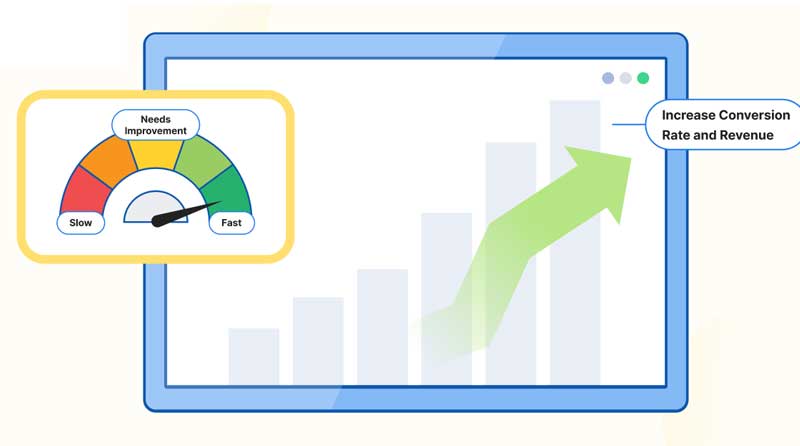
Website performance affects how visitors experience your business online. Pages that take too long to load can discourage users from exploring your services, submitting enquiries or completing purchases.
A well-optimised website can help you:
- Improve User Experience – Make pages feel faster and more responsive across devices.
- Support SEO Performance – Improve relevant technical performance signals, including Google’s Core Web Vitals.
- Reduce Friction in Conversions – Help visitors navigate pages, use forms and complete purchases more smoothly.
- Improve Mobile Performance – Address performance problems that are particularly noticeable on mobile connections and devices.
- Use Server Resources More Efficiently – Reduce unnecessary processing and improve the delivery of website content.
Actual results depend on your website’s existing condition, hosting environment, theme, plugins and the changes implemented.
My Website Speed Optimisation Services
Every website has different performance challenges. I begin by investigating how your website loads, identifying bottlenecks and prioritising changes that offer practical benefits.
1. Website Speed Audit & Performance Analysis
Identify what’s slowing your website down.
Before making changes, I assess your website’s current performance to understand where improvements are needed.
This may include:
- Testing page performance using tools such as Google PageSpeed Insights.
- Reviewing Core Web Vitals, including Largest Contentful Paint (LCP), Interaction to Next Paint (INP) and Cumulative Layout Shift (CLS).
- Identifying oversized images, render-blocking resources and unnecessary scripts.
- Reviewing caching, CSS, JavaScript and font-loading behaviour.
- Investigating slow WordPress queries, plugins and theme-related bottlenecks.
- Reviewing server response times and other hosting-related limitations.
The findings help establish a prioritised optimisation plan based on the issues affecting your website most significantly.
2. WordPress Performance Optimisation
Make your WordPress website faster and more efficient.
WordPress websites can become slow due to excessive plugins, inefficient code, unoptimised assets or configuration problems.
I investigate the underlying causes and implement appropriate improvements, which may include:
- Reviewing plugins and identifying unnecessary or resource-intensive functionality.
- Optimising WordPress configuration and database performance.
- Implementing or refining page caching and browser caching.
- Reducing unnecessary CSS and JavaScript where safe.
- Optimising font loading and other page resources.
- Reviewing theme performance and opportunities to streamline page delivery.
Changes are selected according to your website’s needs, with care taken to preserve essential functionality and compatibility.
3. Image & Media Optimisation
Reduce page weight without unnecessarily compromising visual quality.
Large images and media files can account for a substantial proportion of a webpage’s total download size.
I can improve media delivery through:
- Compressing images while maintaining appropriate visual quality.
- Resizing images to suit their actual display dimensions.
- Implementing modern image formats such as WebP or AVIF where supported.
- Reviewing responsive images for desktop and mobile devices.
- Configuring lazy loading for appropriate below-the-fold images.
- Improving image delivery and caching where suitable.
These improvements can reduce the amount of data visitors need to download and help pages load more efficiently.
4. Core Web Vitals & Technical Performance
Improve the metrics that help measure real-world user experience.
Google’s Core Web Vitals measure important aspects of website loading, responsiveness and visual stability.
The three principal metrics are:
- Largest Contentful Paint (LCP) – Measures how quickly the main content becomes visible.
- Interaction to Next Paint (INP) – Measures how responsive a page is to user interactions.
- Cumulative Layout Shift (CLS) – Measures unexpected movement of page elements.
I investigate the causes of poor performance and identify appropriate improvements. Depending on the results, this may involve optimising server response, reducing JavaScript execution, improving image delivery, reserving space for visual elements or simplifying resource loading.
Passing these metrics is not guaranteed, as results also depend on real-world visitor devices, networks and other factors outside a website’s direct control.
5. Server, Hosting & Caching Optimisation
Address performance issues beyond the website itself.
Sometimes the cause of a slow website is not its design or content, but the environment in which it runs.
I can investigate hosting and infrastructure factors such as:
- Slow server response times.
- PHP configuration and resource limitations.
- Page caching and object caching where supported.
- Database response times and inefficient queries.
- Compression and browser caching configuration.
- Content delivery network (CDN) configuration where appropriate.
- Unnecessary redirects and inefficient resource delivery.
If the existing hosting environment is limiting performance, I can identify potential improvements and advise whether configuration changes, a hosting upgrade or a migration may be appropriate.
6. WooCommerce Speed Optimisation
Improve the shopping experience for your online customers.
For WooCommerce stores, performance is especially important because customers need to browse products, use filters, add items to their cart and complete checkout without unnecessary delays.
Optimisation may include:
- Improving product and category page loading.
- Reviewing resource-heavy plugins and third-party scripts.
- Optimising product images and gallery delivery.
- Investigating slow database queries and WooCommerce processes.
- Reviewing cart and checkout performance.
- Configuring caching carefully to avoid interfering with personalised content, shopping carts or checkout sessions.
Every store requires a tailored approach to ensure that performance improvements do not disrupt sales-critical functionality.
7. Testing, Verification & Ongoing Monitoring
Measure improvements and keep performance under review.
After implementing optimisations, I retest the website to assess the impact of the changes and check that essential features continue to work correctly.
Depending on the project, this can include:
- Comparing PageSpeed Insights results before and after optimisation.
- Reviewing relevant Core Web Vitals and performance diagnostics.
- Testing important pages across desktop and mobile layouts.
- Checking forms, navigation, shopping carts and checkout functionality.
- Identifying remaining bottlenecks and opportunities for improvement.
- Recommending ongoing maintenance and performance checks where needed.
The aim is to deliver measurable improvements where possible and provide a clearer understanding of any remaining limitations.
A Faster Website Starts with the Right Approach
Installing a caching plugin alone does not necessarily solve every performance problem. Effective site speed optimisation requires understanding how your website is built, how its resources are delivered and where its biggest bottlenecks occur.
With over 27 years of experience in web design and development, I take a practical, technical approach to diagnosing performance issues and implementing suitable improvements.
Whether you need to speed up a WordPress website, improve Core Web Vitals, optimise a WooCommerce store or investigate server-related performance problems, I can help you identify the next steps.
Want to improve your website’s speed?
Contact me to discuss your website performance requirements.
